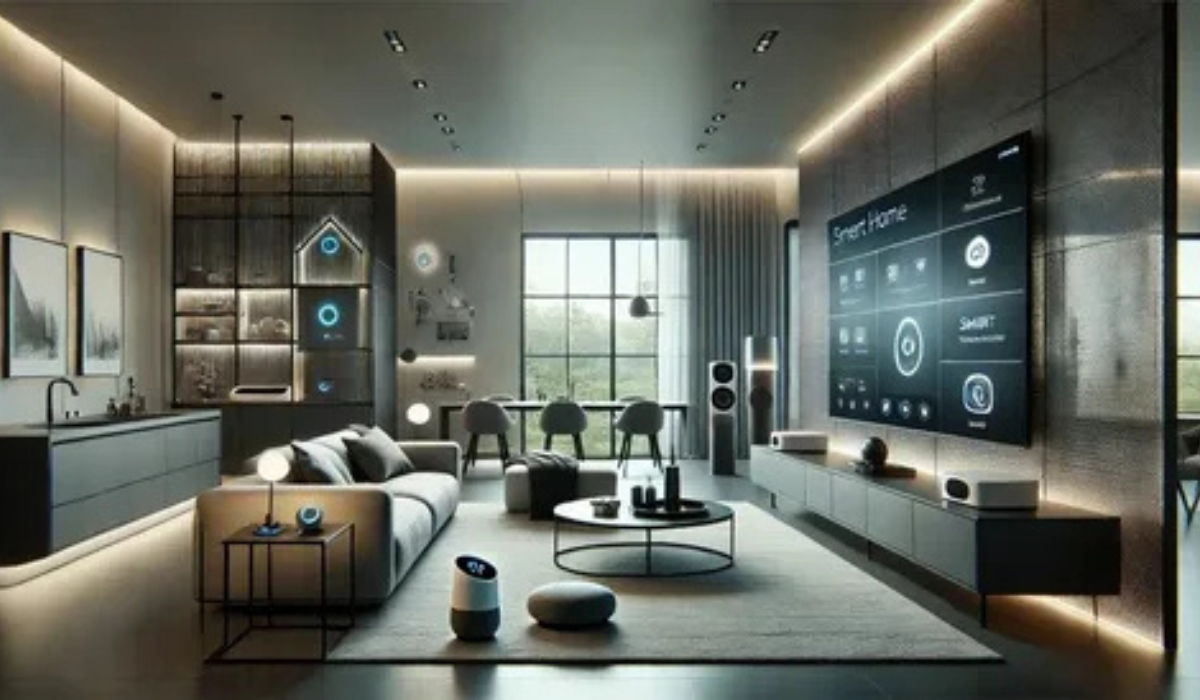
Imagine arriving home after a long day and finding the lights ready, the room at a comfortable temperature, and your favorite music playing. You did not need to switch on every device or open five different apps. Your home handled the routine tasks for you.
That is the real appeal of a smart home. It is not about filling every room with expensive gadgets. It is about using connected technology to make everyday life more convenient, comfortable, secure, and efficient.
The problem is that choosing smart home technology can quickly become confusing. One product works with Alexa, another is designed for Apple Home, and a third requires a separate hub. Then you encounter terms such as Matter, Thread, local control, and automation.
The good news? You do not need to understand every technical detail to get started. You need a sensible plan, compatible devices, and a clear idea of what you want your home to do.
In this guide, we will explain how smart homes work, compare the leading platforms, break down realistic setup costs, and show you how to avoid common buying mistakes.
What Is a Smart Home, and How Does It Work?
A smart home uses connected devices that you can control through a phone, voice assistant, automation system, or compatible home hub. Depending on the equipment, you can manage lighting, temperature, security, appliances, and other household functions remotely or automatically.
For example, a smart plug can switch a compatible lamp on and off through an app. A motion sensor can trigger hallway lighting, while a smart thermostat can adjust heating according to a schedule.
Most smart home setups contain three main parts:
- Smart devices: The lights, plugs, sensors, locks, cameras, and appliances that perform specific tasks.
- A control system: An app, voice assistant, or hub that manages compatible devices.
- A network: Wi-Fi, Thread, or another supported communication technology that allows devices to exchange information.
Some devices communicate through your router, while others use a hub or a low-power mesh network. Certain products also rely on a manufacturer’s cloud service for remote access, notifications, or advanced features.
What Can a Smart Home Actually Do?
A well-planned setup can help you:
- Switch lights on or off remotely.
- Create schedules for compatible appliances.
- Receive alerts from supported security sensors.
- Adjust compatible heating and cooling systems.
- Control several devices with one command.
- Monitor energy use when your equipment supports it.
Pro tip: Start with one repeated inconvenience. If you regularly forget to switch off a lamp, try a smart plug. If you walk through a dark hallway at night, consider a compatible motion sensor and smart light. A small improvement is more valuable than a complicated setup you rarely use.
Which Smart Home Devices Should You Buy First?
The best smart home devices are the ones that solve problems you already have. You do not need to automate every room at once.
1. Smart Plugs for Simple Automation
Smart plugs are among the easiest ways to begin. They let you control compatible plug-in devices using an app, schedule, or supported voice assistant.
They can be useful for ordinary lamps and other appliances that are safe to operate through a switched outlet.
However, a smart plug does not make every appliance smart. It usually controls electrical power rather than the appliance’s individual functions.
Important: Do not use a smart plug with equipment that must never be unexpectedly switched off or that exceeds the plug’s rated load. High-power appliances require particular care.
2. Smart Lighting for Convenience
Smart bulbs, switches, and light strips allow you to adjust brightness, schedules, and, where supported, color temperature or color.
You could schedule bedroom lights to dim in the evening or create a scene that switches off several lights when everyone leaves.
Before buying smart bulbs, check whether they require a hub and whether they will remain connected when someone uses the ordinary wall switch. Some smart bulbs lose power when that switch is turned off.
Smart lighting can also complement your interior style, and our guide to modern home decor ideas explains how lighting, colors, and textures work together to create a comfortable space.
3. Smart Speakers and Displays for Voice Control
A compatible smart speaker can control supported devices through voice commands. A smart display adds a screen for camera feeds, device controls, and other information.
These products are useful when you want hands-free control, but they are not always necessary. Many people can begin with a phone app and add a speaker later.
4. Sensors, Cameras, and Smart Locks
Motion sensors, door sensors, cameras, and smart locks can support a more responsive home.
For example, a door sensor might notify you when a door opens, while a motion sensor can activate a light under the right conditions.
Choose security products carefully. Review notification options, account security, software updates, video storage, and the manufacturer’s privacy policy. Smart locks should also have an appropriate backup entry method.
5. Smart Thermostats and Energy Monitoring
Compatible smart thermostats can follow schedules or adjust settings based on supported sensors and routines. Energy-monitoring plugs or electrical monitoring systems can help identify consumption patterns.
Actual savings depend on your home, climate, equipment, energy prices, and usage. A smart device does not automatically reduce electricity bills simply because it is connected.
Pro tip: Buy devices in order of usefulness, not novelty. A reliable motion sensor that solves a daily problem may be a better investment than an expensive connected appliance with features you rarely use.
Alexa vs. Google Home vs. Apple Home vs. Home Assistant
Choosing a smart home platform is one of the most important early decisions. It affects device compatibility, automation options, setup complexity, and how much control you have over your data.
| Platform | Best suited for | Main advantage | Main limitation |
|---|---|---|---|
| Amazon Alexa | Beginners who prefer voice control | Broad device support and accessible routines | Some features depend on compatible Amazon devices or online services |
| Google Home | People using Google’s connected-home ecosystem | Straightforward controls and integration with supported Google devices | Advanced customization depends on the device and available features |
| Apple Home | Households using compatible Apple devices | Convenient control through Apple’s ecosystem and supported privacy features | Some functions require compatible Apple home hubs and accessories |
| Home Assistant | Enthusiasts who want extensive customization | Flexible automations and strong local-control options | Requires more setup, maintenance, and technical understanding |
Amazon Alexa: A Friendly Starting Point
Alexa is worth considering if you want to control compatible lights, plugs, speakers, and other devices with voice commands. Its routines can combine several actions into one trigger.
For instance, a bedtime routine could turn off selected lights and adjust supported devices.
Before purchasing an Echo or another controller, verify which features are available on that specific model. Not every Echo has the same smart home radios or capabilities.
Google Home: Convenient Household Control
Google Home offers an accessible way to organize compatible devices and create supported automations. It can be especially convenient for households already using Google’s services and devices.
Check whether your preferred accessories support Google Home directly or through Matter. Also confirm which automations require an internet connection.
Apple Home: A Good Fit for Apple Users
Apple Home provides centralized control for compatible accessories through Apple’s ecosystem. Depending on your configuration, a compatible home hub may be needed for remote access, shared control, or particular automation features.
If you already use an iPhone, iPad, or other Apple devices, the experience may feel familiar. However, verify the requirements for the features you intend to use rather than assuming every accessory works identically.
Home Assistant: More Control for Advanced Users
Home Assistant is an open-source home automation platform designed for people who want to connect supported devices and build detailed automations.
It can run on local hardware and control compatible devices without relying on a vendor’s cloud for every action. Some integrations and remote-access features still depend on online services or additional configuration.
Its flexibility comes with a learning curve. Beginners may prefer to start with a simpler platform before moving to more advanced automation.
Pro tip: Choose your main platform before buying a large collection of devices. A little planning now can save you from replacing accessories or maintaining several disconnected apps later.
Matter vs. Thread vs. Wi-Fi: What Is the Difference?
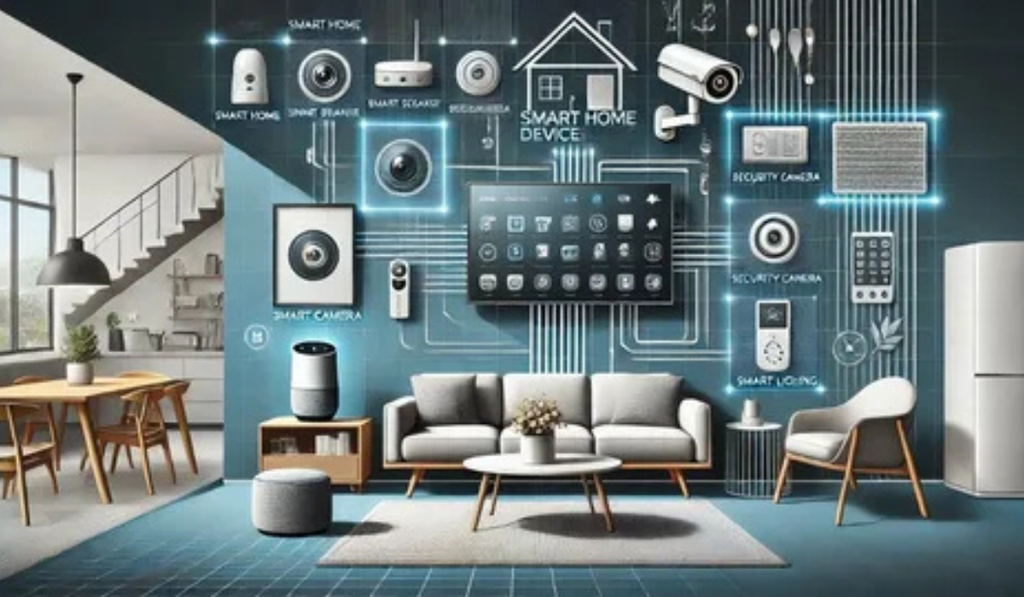
These terms often appear together on smart home packaging, but they describe different things.
What Is Matter?
Matter is a smart home interoperability standard intended to help compatible devices work across supported ecosystems. It can reduce compatibility problems and simplify setup.
A Matter-enabled bulb, for example, may be controllable through more than one compatible smart home platform. This does not mean every feature will be available everywhere.
What Is Thread?
Thread is a low-power wireless mesh networking technology designed for connected devices. It is particularly useful for products such as sensors and switches that send relatively small amounts of data.
Thread devices generally need an appropriate Thread border router to communicate with the wider home network.
How Does Wi-Fi Fit In?
Wi-Fi is commonly used by smart cameras, appliances, plugs, and other connected devices. It can be convenient because many homes already have a wireless router.
However, adding too many poorly supported devices can make setup and network management more complicated.
Here is the simplest way to remember the distinction:
- Matter: Helps compatible devices communicate and work across supported smart home platforms.
- Thread: Provides low-power wireless mesh connectivity.
- Wi-Fi: Provides network connectivity for devices designed to use it.
Matter can operate over Wi-Fi or Thread, among other supported network arrangements. A Thread logo alone does not guarantee Matter compatibility.
Before purchasing, look for the Matter logo if cross-platform support is important, then verify the product’s supported device category and controller requirements.
Pro tip: Do not replace working devices just to adopt the newest standard. When upgrading, prioritize compatibility with your existing setup and the features you actually need.
How Much Does a Smart Home Cost?
A smart home can begin with a few inexpensive accessories or grow into a professionally designed system with integrated lighting, climate control, security, and whole-house automation.
The following figures are illustrative US-dollar planning ranges, not verified live prices or supplier quotations. Actual costs vary by brand, country, installation needs, and existing equipment.
| Setup level | Typical equipment | Illustrative budget |
|---|---|---|
| Starter | One or two smart plugs and a smart bulb | $25–$100 |
| Basic | Several lights or plugs, a compatible speaker, and simple routines | $100–$300 |
| Mid-range | Multiple rooms, sensors, selected security devices, and a suitable hub where needed | $300–$1,000 |
| Advanced | Extensive automation, integrated controls, multiple sensors, and professional installation where appropriate | $1,000–$5,000+ |
These categories are planning examples rather than fixed market averages. Cameras, smart locks, premium lighting, subscription services, and electrical work can increase the total substantially.
Example: Building a Smart Home Gradually
Imagine a household that wants to automate the living room and bedroom first.
Instead of purchasing a complete package immediately, the household could:
- Begin with a compatible smart plug for a lamp.
- Add smart lighting for one frequently used room.
- Choose a compatible controller if voice control is useful.
- Introduce a motion sensor or another accessory when a clear need arises.
- Review compatibility before expanding into additional rooms.
This approach spreads spending over time and gives the household a chance to learn how its devices behave.
What About Whole-Home Automation?
A larger installation might include wired lighting controls, climate systems, security equipment, structured networking, and integration with existing electrical systems.
The final cost depends heavily on the property’s size, wiring, equipment, and installation requirements. Professional work may be necessary for electrical modifications or other complex systems.
If your smart home project is part of a larger renovation, our home renovation cost calculator can help you estimate the broader project budget before speaking with contractors.
Pro tip: Set a budget for the complete first phase, including any required hub and accessories. A low-priced device is not necessarily a bargain if it needs extra hardware or a paid service to provide the features you want.
Smart Home Privacy and Security: What Should You Check?
Convenience should not come at the expense of basic security. Connected devices may collect information about device activity, household routines, voice interactions, or camera events, depending on their functions and settings.
A cloud-connected product sends some information to remote services. A locally controlled product may process more activity within your home network. Neither label alone guarantees that a device is completely private or secure.
Cloud-Based vs. Local Control
Cloud services can make remote access, notifications, and account-based integrations easier. However, certain functions may stop working when the service or internet connection is unavailable.
Local control can improve independence from external services and may reduce the amount of information that needs to leave your home. It still requires sensible network security, software updates, and careful configuration.
Home Assistant is one option for users who want more local control, although the degree of local operation depends on the devices and integrations they choose.
Five Practical Ways to Improve Security
- Use strong, unique passwords for smart home accounts.
- Enable multifactor authentication when available.
- Install software and firmware updates from trusted manufacturers.
- Review camera, microphone, and data-sharing settings before using a device.
- Check support policies so you know how long a product is expected to receive updates.
For cameras and smart locks, examine account recovery, access permissions, storage settings, and backup methods. Avoid exposing device administration interfaces directly to the public internet.
Pro tip: Before purchasing a device, ask two questions: What information does it collect, and what happens if its internet service becomes unavailable? Those answers can reveal more than a long list of advertised features.
Common Smart Home Mistakes to Avoid
Even good products can create a frustrating setup when they are chosen without a plan.
Buying Devices Without Checking Compatibility
A product may support one ecosystem but lack integration with another. Even when Matter is supported, some advanced functions may not be exposed through every controller.
Check the manufacturer’s current compatibility information before purchasing.
Adding Too Many Devices at Once
Installing many accessories together makes troubleshooting harder. If several devices fail to connect, identifying the cause can become unnecessarily complicated.
Begin with one device, confirm that it works reliably, and then expand.
Ignoring Wi-Fi Coverage
A device located far from the router may disconnect frequently. Before blaming the smart home platform, check signal strength, router placement, and any device-specific network requirements.
Automating Everything Too Soon
An elaborate routine may look impressive but become annoying if it triggers at the wrong time. Start with predictable actions and adjust them after observing how your household uses them.
Forgetting Maintenance
Smart homes need occasional attention. Devices require updates, batteries need replacement, and integrations may change as manufacturers update their services.
Pro tip: Keep a simple record of device names, rooms, platform compatibility, and important setup details. This makes troubleshooting and future upgrades much easier.
How to Build Your First Smart Home Step by Step
If you are starting from scratch, use this practical sequence.
Step 1: Identify your priorities. Choose one or two goals, such as convenient lighting, energy monitoring, or security notifications.
Step 2: Select your main ecosystem. Compare Alexa, Google Home, Apple Home, and Home Assistant according to your devices, technical comfort, and desired features.
If your plans go beyond connected devices and include wider home upgrades, our guide to home renovation ideas on a budget can help you prioritize improvements and plan them in stages.
Step 3: Check the network and compatibility. Confirm whether your products use Wi-Fi, Thread, a separate hub, or another supported connection.
Step 4: Buy a small number of devices. Begin with a basic accessory that solves a genuine problem.
Step 5: Test before expanding. Check daily reliability, app controls, automation behavior, and what happens when your internet connection is unavailable.
Step 6: Add automation gradually. Once the basics work, create routines that save time or make your home more comfortable.
The key is to build a system that works consistently rather than one that looks impressive on paper.
Frequently Asked Questions About Smart Homes
Is a smart home expensive to build?
No. You can begin with a few compatible smart plugs or bulbs and expand over time. Larger installations involving integrated lighting, security, and professional work cost substantially more.
Can a smart home work without the internet?
Some devices and automations can operate locally without an internet connection, but this depends on the product and configuration. Cloud-based voice services, remote access, and certain notifications may become unavailable.
Is Matter better than Wi-Fi?
They are not direct alternatives. Matter is an application-level interoperability standard, while Wi-Fi is a networking technology. Matter-enabled devices can use Wi-Fi or Thread, depending on the product.
Do all Matter devices work with every smart home platform?
No. Matter improves interoperability, but you must still check controller support, device categories, and feature availability. Some products also require a compatible hub or border router.
Which smart home ecosystem is best for beginners?
Alexa and Google Home are common starting points for accessible voice control and connected-device management. Apple Home may suit households using Apple’s ecosystem, while Home Assistant is particularly useful for people who want deeper customization and are comfortable with technical setup.
Can smart home devices reduce electricity bills?
They may help you monitor usage and automate certain lighting or climate settings. Actual savings depend on your habits, devices, local energy costs, and the efficiency of your existing equipment.
Are smart home devices safe?
They can be used more securely when you choose reputable manufacturers, update software, protect accounts, and review privacy settings. No connected device is completely risk-free.
Final Thoughts: Build a Smart Home That Works for You
A useful smart home is not defined by how many connected devices you own. It is defined by how well those devices solve everyday problems.
Start with a clear goal, select a compatible ecosystem, and spend carefully. Learn the difference between Matter, Thread, and Wi-Fi before making larger purchases. Pay attention to privacy, network reliability, and ongoing support instead of focusing only on advertised features.
Most importantly, build gradually. A few reliable automations can make everyday life easier without turning your home into a complicated technology project.
The best smart home is the one that saves you effort, respects your privacy, and fits your budget—not the one with the most gadgets.