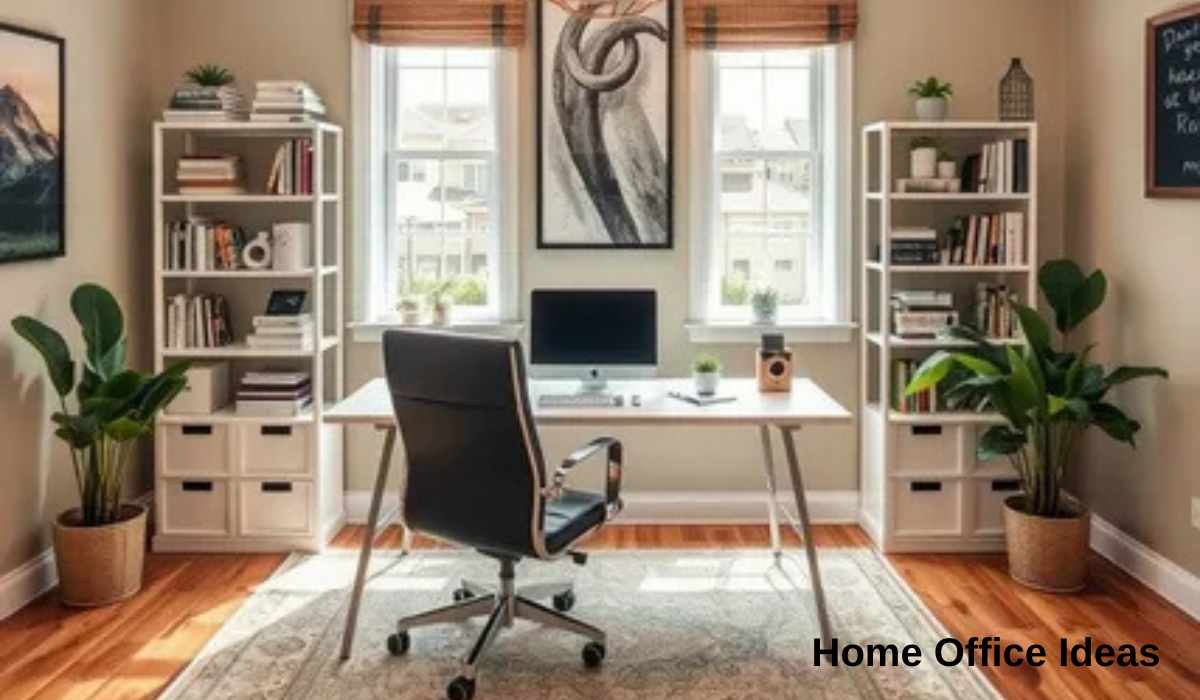
Have you ever sat down to work at home, only to spend the next 20 minutes looking for a charger, moving things off your desk, or trying to find a comfortable position? You are not alone. A home office can look beautiful in photos and still be frustrating to use every day.
The good news is that you do not need a spare bedroom, expensive furniture, or a complete renovation to create a better workspace. The right home office ideas can help you make even a small corner more comfortable, organized, and practical.
The secret is to design your office around the way you actually work. A person who spends hours on video calls has different needs from someone who writes, studies, manages a business, or works with multiple monitors.
In this guide, we will explore home office ideas for different rooms, budgets, and working styles. You will learn how to choose furniture, improve lighting, organize cables, make better use of small spaces, and create an office that feels like a natural part of your home.
1. Start With Your Working Habits, Not Your Decor
Before buying a desk or choosing a wall color, think about what you do during a typical working day. This simple step can prevent expensive mistakes.
For example, a graphic designer may need two monitors, space for a drawing tablet, and good task lighting. Someone who mainly writes emails may need only a laptop, a notebook, and a comfortable chair.
Make a short list of your daily requirements:
- Essential equipment: Laptop, monitor, keyboard, printer, headphones, or other tools.
- Working space: Enough room to use your equipment without constantly moving things around.
- Storage: Space for documents, stationery, chargers, and personal belongings.
- Privacy: A quieter location if you regularly attend meetings or need to concentrate.
- Flexibility: Extra room if your workspace also serves as a study area or family desk.
If you are planning the look and layout of your workspace as part of a wider home makeover, explore our guide to home interior design ideas for practical tips on furniture placement, lighting, colors, and storage.
Choose a location that suits your routine
A spare bedroom may be ideal if you need privacy. A living room corner can work well if you prefer to stay connected with your family. A bedroom desk may be practical when space is limited.
Pro tip: Spend a day noticing where you naturally concentrate best at home. Consider noise, daylight, foot traffic, and available power outlets before committing to a permanent desk location.
2. Choose a Desk and Chair That Support Comfortable Work
Your desk and chair influence how practical your home office feels over long working sessions. Attractive furniture is a bonus, but comfort and usability should come first.
Find the right desk for your space
A large desk offers room for monitors, documents, and accessories, but it can overwhelm a small room. A compact desk may be enough for a laptop-based setup.
Consider these options:
- Writing desk: A simple choice for laptops, paperwork, and everyday tasks.
- Corner desk: Uses an otherwise awkward corner and can provide a useful work surface.
- Wall-mounted desk: Helps preserve floor space in narrow rooms.
- Standing desk: Allows you to alternate between sitting and standing when the design and height adjustments suit your needs.
- Desk with drawers: Provides convenient storage for smaller items.
Measure your available space before purchasing anything. Remember to leave enough room to pull out your chair, open drawers, and move around comfortably.
Make your chair a priority
Choose a chair that supports your back and allows you to sit comfortably. Adjustable seat height and suitable back support can make it easier to maintain a practical working position.
Your feet should rest comfortably on the floor or a footrest, while your shoulders remain relaxed as you use your keyboard. Position your monitor so you can view it without repeatedly bending your neck.
Pro tip: If you work from home every day, test a chair before buying it whenever possible. A chair that looks impressive in a product photo may not suit your body or desk.
3. Use Natural Light and Task Lighting Together
Lighting can make a home office more pleasant and easier to use. A dark desk may leave you straining to see paperwork, while reflections on a screen can become distracting.
Position your desk carefully
If possible, place your desk near a window to benefit from daylight. However, avoid positioning your monitor where direct sunlight creates persistent reflections.
Try placing the screen perpendicular to the window and adjust the blinds or curtains as needed. The best arrangement depends on the direction of the light and the layout of your room.
Add a suitable desk lamp
Natural light changes throughout the day, so it helps to have an adjustable desk lamp for cloudy afternoons and evening work.
Look for a lamp that directs light onto your work surface without shining directly into your eyes or reflecting off your monitor.
If you write with your hand on the desk, placing the lamp on the opposite side of your dominant hand can help reduce shadows.
Think about light color
Different light sources can create different atmospheres. Warmer lighting often feels relaxed, while cooler lighting can give a workspace a more neutral appearance. Neither option guarantees better concentration, so consider comfort, glare, and the task you are performing.
Pro tip: Test your lighting at the time you usually work. A setup that looks perfect in the morning may feel uncomfortable after sunset.
4. Make Small Home Office Spaces Work Harder
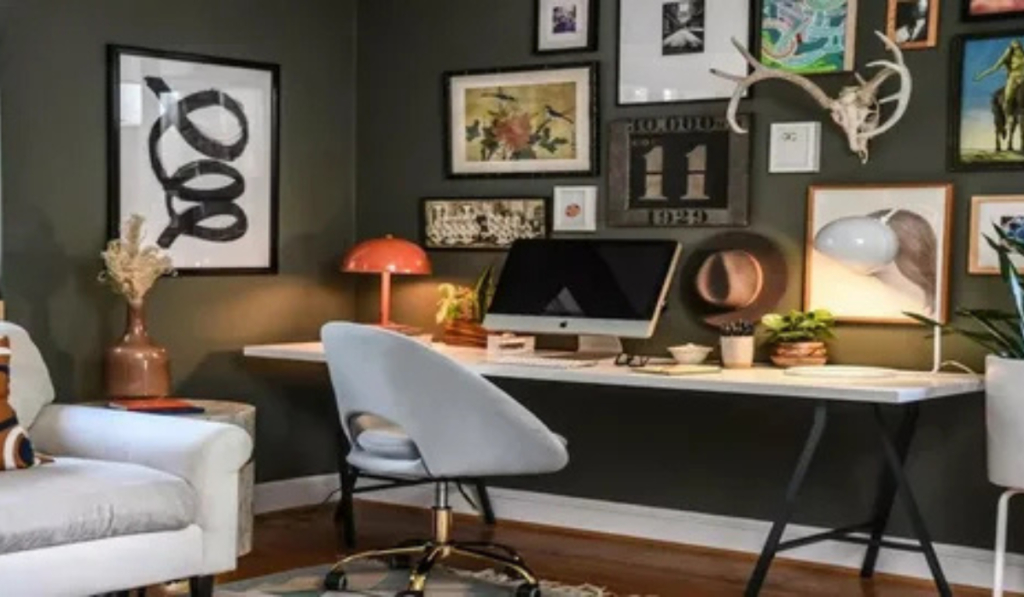
You do not need a separate room to create a functional office. Many homes have unused corners, narrow wall sections, or awkward spaces that can accommodate a compact workstation.
Turn an unused corner into an office
A small corner desk can provide a dedicated working area without taking over the room. Add a wall shelf above the desk for notebooks, small accessories, and other essentials.
Keep the floor around the workstation clear. This makes it easier to move the chair and helps the area feel less crowded.
Use an alcove or under-stair space
An alcove can accommodate a narrow desk, especially when standard furniture does not fit the available dimensions. Under-stair areas may also work if there is sufficient headroom, lighting, ventilation, and room to sit comfortably.
Measure the width, depth, and usable height before planning the layout.
Try a cloffice
A cloffice combines a closet and an office. It typically uses a compact desk and shelves inside a closet or wardrobe.
This arrangement can be useful in homes without an extra room. When your work is finished, you may be able to close the doors and conceal the equipment.
However, make sure the space has adequate lighting, ventilation, and room for your equipment. A closet should not become so cramped that working there is uncomfortable.
Pro tip: In a very small room, start with the desk you need and add storage around it. Buying several cabinets before planning the layout can leave you with less usable space.
5. Create Smart Storage Before Clutter Takes Over
A tidy desk is easier to use when everything has a sensible place. The problem is that papers, charging cables, stationery, and small devices tend to accumulate gradually.
Rather than waiting until your desk becomes crowded, plan storage from the beginning.
Use vertical space
Wall-mounted shelves and tall bookcases can provide storage without occupying as much floor space as wide cabinets.
Place frequently used items within easy reach. Less frequently used documents and accessories can go on higher shelves or inside closed cabinets.
Combine open and closed storage
Open shelves are useful for books, reference materials, and a few decorative objects. Closed drawers and cabinets are better for items you do not need to see throughout the day.
A combination of both can keep your workspace practical without making it feel sterile.
Organize cables and chargers
Cable clutter can make even an attractive office look untidy. Use cable clips, desk grommets, or under-desk cable trays to keep wires organized.
Keep power strips accessible and avoid overloading outlets. Make sure cables do not cross walking paths or create tripping hazards.
Pro tip: Give every frequently used item a designated home. If you repeatedly move something out of the way, your storage arrangement probably needs adjusting.
6. Choose a Color Scheme That Fits Your Style
Your home office should feel like a place where you want to spend time. Color, texture, and decorative details can help create that atmosphere without sacrificing practicality.
Keep the main palette simple
White, beige, soft gray, and natural wood tones can create a light, understated background. They also make it easier to introduce color through accessories.
If you prefer a more dramatic look, consider a darker accent wall, rich wood finishes, or a contrasting desk.
Blue and green are popular choices for office interiors, while yellow, orange, and red can add warmth or visual energy. However, color psychology is not a guaranteed formula for productivity. Choose shades that you find comfortable and appealing.
Add texture and personality
You can give a workspace character through:
- Framed artwork or photographs.
- Textured curtains and rugs.
- Decorative wall panels or wallpaper.
- A desk lamp with an interesting finish.
- A few plants or personal objects.
The goal is not to fill every available surface. A small number of carefully selected details can make a stronger impression than a desk covered in decorations.
Pro tip: Choose two or three main colors and repeat them across your furniture, accessories, and wall decor. This creates a coordinated appearance without requiring matching furniture throughout the room.
If you are unsure which shades will work together, use our Room Colour Palette Generator to explore color combinations before choosing your office paint, furniture, or accessories.
7. Bring Plants and Natural Materials Into Your Office
Office equipment can make a room feel visually cold, particularly when it contains lots of plastic, metal, and electronic devices. Plants and natural materials offer a simple way to soften the overall appearance.
A small potted plant can sit on a shelf or windowsill, while a larger plant may work beside a desk if there is enough space. Wooden accessories, woven baskets, and natural-texture fabrics can create a similar effect.
Choose plants according to the available light and the amount of care you can realistically provide. A low-maintenance variety may be a better option than one that needs frequent attention.
Keep plants away from electrical equipment where spilled water could cause problems.
It is also worth keeping expectations realistic. Plants can add visual interest and make a room feel more welcoming, but you should not assume that adding greenery alone will significantly improve productivity.
Pro tip: If your desk is small, place plants on a windowsill or wall shelf instead of sacrificing valuable working space.
8. Make Your Home Office Suitable for Video Calls
If you regularly attend online meetings, your office needs to work well on camera as well as in person.
You do not need an expensive studio setup. A few thoughtful adjustments can make calls more comfortable and professional.
Choose a practical camera background
Position your desk so the background looks reasonably tidy. A bookshelf, plain wall, or carefully arranged collection of artwork can all work well.
You do not need to buy decorative items solely for video calls. Start with what you already have and remove distracting clutter where possible.
Improve your lighting
Try to place a light source in front of you or slightly to one side rather than relying entirely on a bright window behind your head.
This can help your face remain visible on camera. Adjust the arrangement according to your camera and the available light.
Reduce distracting noise
Soft furnishings such as curtains, rugs, and upholstered chairs may help reduce sound reflections in a room. They will not completely soundproof a space, but they can make it feel less echo-prone.
A suitable headset or microphone can also help with calls, particularly in a busy household.
Pro tip: Make one short test recording before an important meeting. Check your framing, lighting, sound, and background rather than assuming everything looks and sounds fine.
9. Create a Home Office That Works in a Shared Room
A shared office can be challenging when your desk occupies part of a bedroom, living room, or family space. You need a workstation that serves its purpose without making the entire room feel like a workplace.
Use furniture to define the workspace
A rug, compact bookcase, or carefully positioned desk can visually separate the office from the rest of the room.
In larger spaces, a folding screen may provide additional separation. In smaller rooms, a consistent color scheme and a well-organized desk may be enough.
Hide work equipment when the day ends
A desk with drawers, a cabinet with doors, or a convertible workstation can make it easier to put away equipment.
This is especially useful in bedrooms, where visible paperwork and screens may make it harder to treat the space as a place to relax.
Consider a shared workstation
If two people work from home, a long desk or two compact desks along the same wall may be more practical than creating two separate offices.
Think about monitor placement, chair movement, power access, storage, and the need for quiet during calls.
Pro tip: Agree on storage zones and call arrangements if you share the office. A good layout can still become frustrating when both people compete for the same space.
10. Avoid These Common Home Office Mistakes
Even a well-designed office can become uncomfortable when a few basic details are overlooked.
Choosing appearance over comfort
A beautiful chair or desk is not automatically suitable for long working sessions. Check the dimensions, support, adjustability, and available legroom before buying.
Filling the room with unnecessary furniture
More furniture does not always mean a better office. In small rooms, oversized cabinets and decorative tables can restrict movement.
Start with the essentials and add other pieces only when you know what purpose they will serve.
Ignoring electrical access
A desk placed far from a suitable outlet may leave cables stretched across the room. Plan the location of your equipment and charging points before finalizing the layout.
Leaving lighting until the end
A poorly positioned desk lamp or screen can create glare and shadows. Consider daylight, overhead lighting, and task lighting as part of the original plan.
Forgetting that work must eventually end
If your office occupies a shared room, visible work equipment can become a constant reminder of unfinished tasks. Use drawers, screens, or concealed storage to create a clearer boundary between work and personal time.
Pro tip: Before buying anything new, spend a week using your current setup and note its three biggest problems. Fix those first instead of redesigning the entire room at once.
11. A Practical Example: Improving a Small Bedroom Office
Imagine a remote worker who uses a laptop at a small desk in the corner of a bedroom. The desk is covered with chargers, notebooks, and paperwork. The chair is uncomfortable, and the monitor reflects sunlight in the afternoon.
Buying a larger desk might seem like the obvious solution, but it could make the room feel even more crowded.
A better approach would be to make several targeted changes.
First, the worker could measure the corner and reposition the desk to reduce screen glare. Next, a suitable chair and laptop stand could improve the arrangement of the working equipment. A wall shelf could hold notebooks and accessories, while cable clips could keep charging wires organized.
A desk lamp would provide additional light in the evening. Finally, a drawer organizer or small cabinet could keep work materials out of sight after working hours.
These changes address the actual problems without requiring a new room or a complete renovation.
The lesson is simple: identify what makes your current office difficult to use before spending money on improvements. A few well-chosen changes may be more useful than an expensive makeover.
12. How to Set Up Your Home Office on a Budget
Creating a functional office does not require purchasing everything at once. You can improve your workspace gradually, starting with the items that make the greatest difference to daily use.
Begin with these priorities:
- Use furniture you already own. A suitable existing desk may be perfectly adequate.
- Improve your seating. Address comfort and support before spending money on decorative accessories.
- Make use of existing shelves. Reorganize available storage before buying new cabinets.
- Manage cables inexpensively. Simple cable clips and organizers may be enough to tidy your setup.
- Adjust your lighting. Try different desk positions and make better use of existing lamps before purchasing replacements.
- Decorate selectively. Artwork, a plant, or a small accessory can add personality without filling the room.
If your budget is limited, prioritize a safe, comfortable, functional setup over expensive finishes. You can upgrade the decor later.
A good home office should solve everyday problems, not create new expenses simply to look impressive.
If your home office needs bigger changes, such as repainting a room, updating flooring, or modifying an existing space, our Home Renovation Cost Calculator can help you explore a preliminary renovation budget before making decisions. Copy URL
Frequently Asked Questions About Home Office Ideas
1. How do I create a home office in a small space?
Start by measuring the available area and selecting a desk that fits comfortably. Use vertical shelves, wall-mounted storage, and compact furniture to preserve floor space. An alcove, unused corner, or closet may also work as a workstation.
2. What do I need for a basic home office?
A basic setup usually includes a suitable desk, a comfortable chair, a computer or laptop, appropriate lighting, and access to power. Add storage, a monitor, a headset, or other equipment according to your work requirements.
3. Where is the best place to put a home office?
The best location depends on your routine. A spare room may offer privacy, while a bedroom corner or living room alcove may be more practical in a smaller home. Consider noise, daylight, electrical access, and household activity.
4. How can I make my home office look professional?
Choose a coordinated color scheme, organize visible cables, keep the desk reasonably clear, and use suitable lighting. If you attend video calls, pay attention to your camera background and microphone quality.
5. How can I separate work from home life?
Use a dedicated desk, folding screen, cabinet, or concealed workstation to distinguish work from relaxation. Put away equipment at the end of the day when possible, and establish consistent working hours.
6. Is a standing desk necessary for a home office?
No. A standing desk is optional. What matters is a setup that allows comfortable positioning and regular movement. You can also change positions and take breaks with a conventional desk.
7. Are fitted desks worth considering?
Fitted desks can be useful when a room has awkward dimensions or limited space. However, they may cost more and be less flexible than freestanding furniture. Compare measurements, installation costs, and future needs before deciding.
Final Thoughts
The best home office ideas are not necessarily the most expensive or visually impressive. They are the ones that make your everyday work easier, whether you have a dedicated office, a bedroom corner, or a small desk tucked into a closet.
Start with the basics: understand your working habits, choose suitable furniture, improve your lighting, organize storage, and make the best use of your available space. Then add colors, plants, artwork, and other details that reflect your personal style.
Most importantly, do not feel pressured to create a perfect office in one weekend. Make improvements as you learn what works for you. A practical, comfortable workspace that supports your routine will serve you far better than a beautiful setup that looks good but is difficult to use.